
Claiming your business listing
If you’re a tradesperson and you’ve spotted your own business on BizzyDay marked as unclaimed, this page is for you.
Why is my business already listed?
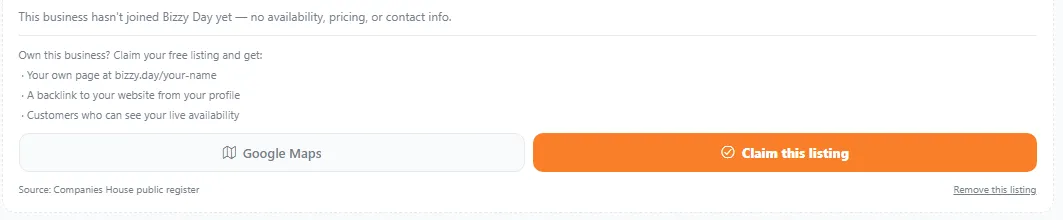
Section titled “Why is my business already listed?”To make customer searches genuinely useful, BizzyDay includes unclaimed listings — real UK businesses imported from the public Companies House register. These appear in search results but have no live availability calendar, because the owner hasn’t joined yet.
It’s not a profile you created — it’s a placeholder waiting for you to take over.
What claiming gives you
Section titled “What claiming gives you”When you claim your listing, it becomes a full BizzyDay profile. You can then:
- Turn on your live availability calendar so customers see when you’re free.
- Add your trades, details and review links.
- Get verified for a blue tick.
- Use all the business tools — quotes, invoices, expenses and more.
How to claim
Section titled “How to claim”- Find your business on BizzyDay (search by your business name).
- On the listing, tap Claim this listing.
- Create your account (or sign in) — see Creating your account.
- Confirm the details and choose a plan to go live — see Choosing a plan.
- Set your availability and finish your profile.
After you’ve claimed it
Section titled “After you’ve claimed it”Your unclaimed placeholder becomes a proper, searchable profile. Next steps:
- Set up your public profile fully.
- Set your availability so customers can see when you’re free.
- Consider getting verified for the blue tick.