
Export to Xero, QuickBooks & spreadsheets
Your BizzyDay records are useful all year — but at tax time you (or your accountant) need them out of the app and into your accounts. Export & Sync makes that clean and simple.
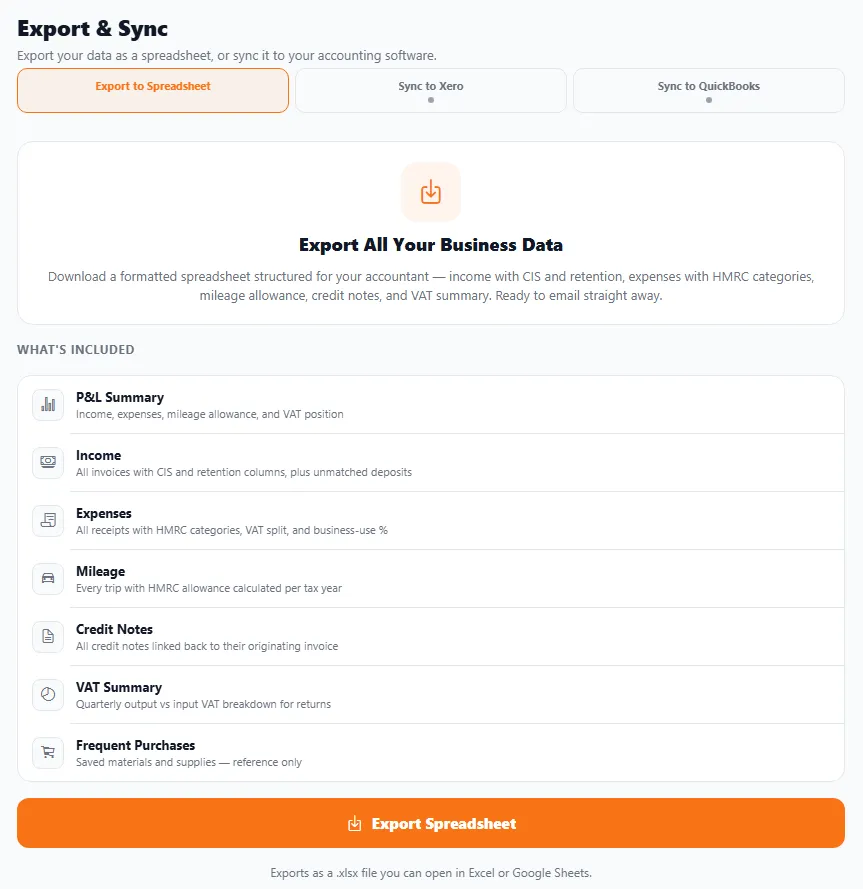
Three ways to get your data out
Section titled “Three ways to get your data out”- Export to Spreadsheet — download a formatted
.xlsxfile you can open in Excel or Google Sheets. It’s structured for your accountant and ready to email straight away. - Sync to Xero — send your data to Xero.
- Sync to QuickBooks — send your data to QuickBooks.
What’s in the spreadsheet
Section titled “What’s in the spreadsheet”The export is built for UK trade accounting, not just a raw data dump. It includes:
- P&L summary — income, expenses, mileage allowance and your VAT position.
- Income — all invoices with CIS and retention columns, plus unmatched deposits.
- Expenses — all receipts with HMRC categories, VAT split and business-use %.
- Mileage — every trip with the HMRC allowance calculated per tax year.
- Credit notes — each linked back to its originating invoice.
- VAT summary — quarterly output vs input VAT, ready for returns.
- Frequent purchases — your saved materials and supplies, for reference.
Why it matters
Section titled “Why it matters”- Easy year-end. Hand your accountant clean, complete figures instead of a carrier bag of receipts.
- No re-typing. Sync straight into your accounts software, or email the spreadsheet.
- Peace of mind. Your records leave in a standard format you control.
How to export
Section titled “How to export”- Open Export & Sync.
- Choose Export to Spreadsheet, Sync to Xero or Sync to QuickBooks.
- For a spreadsheet, download the
.xlsxand share it with your accountant; for Xero/QuickBooks, connect and send.