
How to sign up for BizzyDay
Customers don’t need an account to search BizzyDay. This guide is for tradespeople setting up for the first time.
Do I need an account?
Section titled “Do I need an account?”| You want to… | Account needed? |
|---|---|
| Search for a tradesperson | ❌ No |
| View a profile and reviews | ❌ No |
| List your business and set your availability | ✅ Yes |
| Send quotes and invoices | ✅ Yes |
Ways to sign up
Section titled “Ways to sign up”You can create your BizzyDay account three ways:
- Email address — enter your email and choose a password.
- Continue with Google — one tap using your Google account.
- Continue with Apple — one tap using your Apple ID.
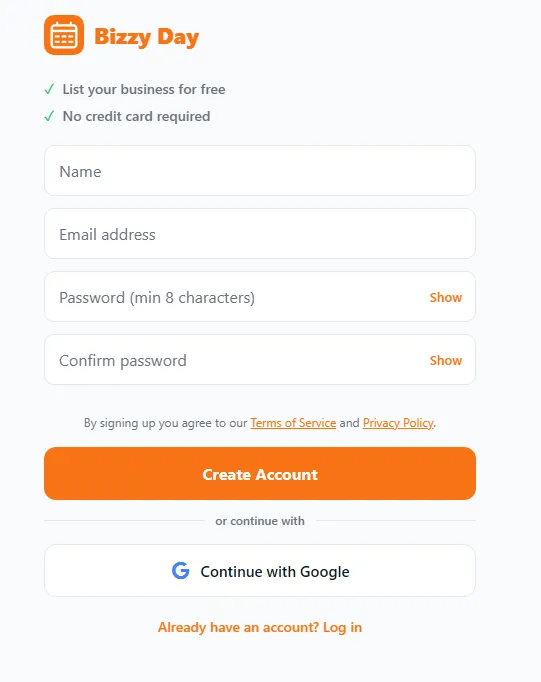
Step by step
Section titled “Step by step”- Open BizzyDay and tap Sign up (or List my business).
- Choose email, Google or Apple.
- If you signed up by email, check your inbox and confirm your email address.
- You’ll be taken into your dashboard to start setting up your profile.
What happens next
Section titled “What happens next”Once you’re in, BizzyDay walks you through the essentials:
- Set up your public profile so customers can find you — see Your public profile.
- Choose a plan to go live — see Choosing a plan.
- Set your availability so your calendar is accurate — see Using the calendar.
Signing in later
Section titled “Signing in later”Use the same method you signed up with. If you used email and forget your password, use Forgot password on the sign-in screen to reset it.