
Frequent purchases
Pro AI
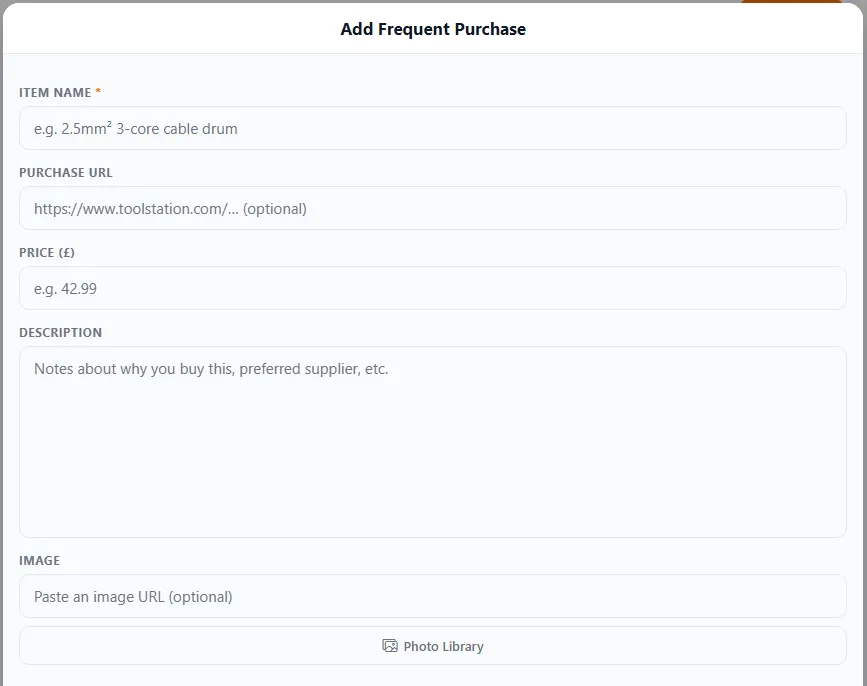
The Add Frequent Purchase form — save an item’s name, price, supplier link and a photo.
Most trades buy the same things over and over — cable, fittings, fixings, standard materials. Frequent purchases saves those items so you can drop them into a quote, invoice or expense in one tap instead of retyping them every time.
What it does
Section titled “What it does”- Keep a list of the items you buy regularly, with descriptions and prices.
- Add them instantly to quotes, invoices or expenses.
- Update a price once and use the new figure everywhere from then on.
Why it’s useful
Section titled “Why it’s useful”- Faster quoting and invoicing. No hunting for the price of something you buy weekly.
- Consistent pricing. The same item is priced the same way every time.
- Fewer mistakes. Saved details mean fewer typos and forgotten items.
Setting it up
Section titled “Setting it up”- Open Frequent Purchases and add an item.
- Give it an item name and your usual price.
- Optionally add a purchase URL (a link to the supplier’s product page), a description (notes like your preferred supplier) and an image.
- From then on, pick it from the list when building a document.