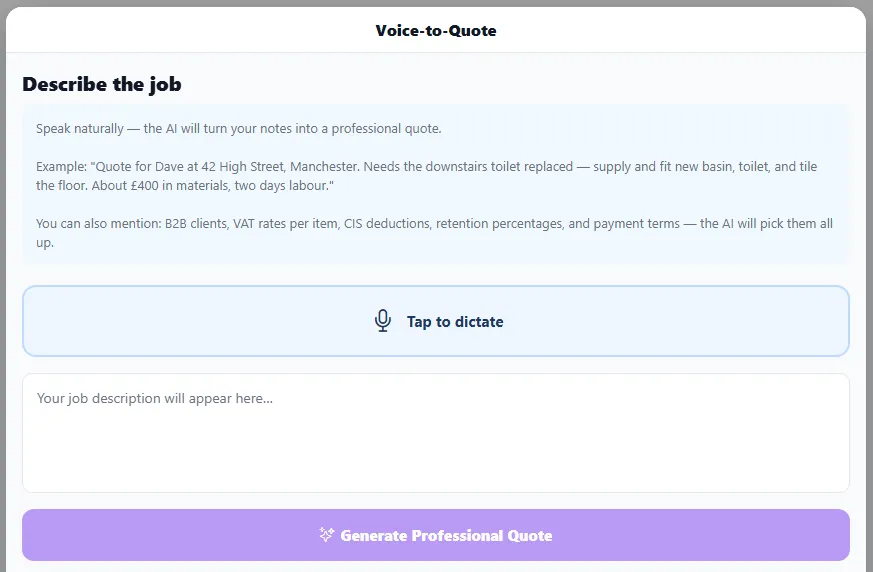
Quoting is the admin most tradespeople put off. Voice-to-Quote removes it: describe the job out loud and BizzyDay drafts an itemised quote for you to review.
Describe the job in your own words, tap to dictate, and generate a professional quote.
Say the numbers. Mention quantities and prices (“about eight metres of…”, “two days’ labour at…”) and they’ll land in the line items.
Go in order. Describe the job step by step — materials, then labour, then extras.
Mention the extras too. The AI also picks up B2B clients, VAT rates per item, CIS deductions, retention percentages and payment terms — just say them and they’ll be applied.
Always review before sending. It’s a draft to check, not to send blind — you’re the expert on the price.
Voice isn’t just for the quote itself. With Voice-to-Pre-Quote you can dictate a pre-quote visit the same way — say who, where and when (“quote visit for Sarah at 14 Mill Lane, next Tuesday morning”) and BizzyDay books it in for you to review. Between the two, a bigger job can go from first phone call to booked visit to drafted quote without typing a thing. See Voice-to-Pre-Quote.