
Finances overview
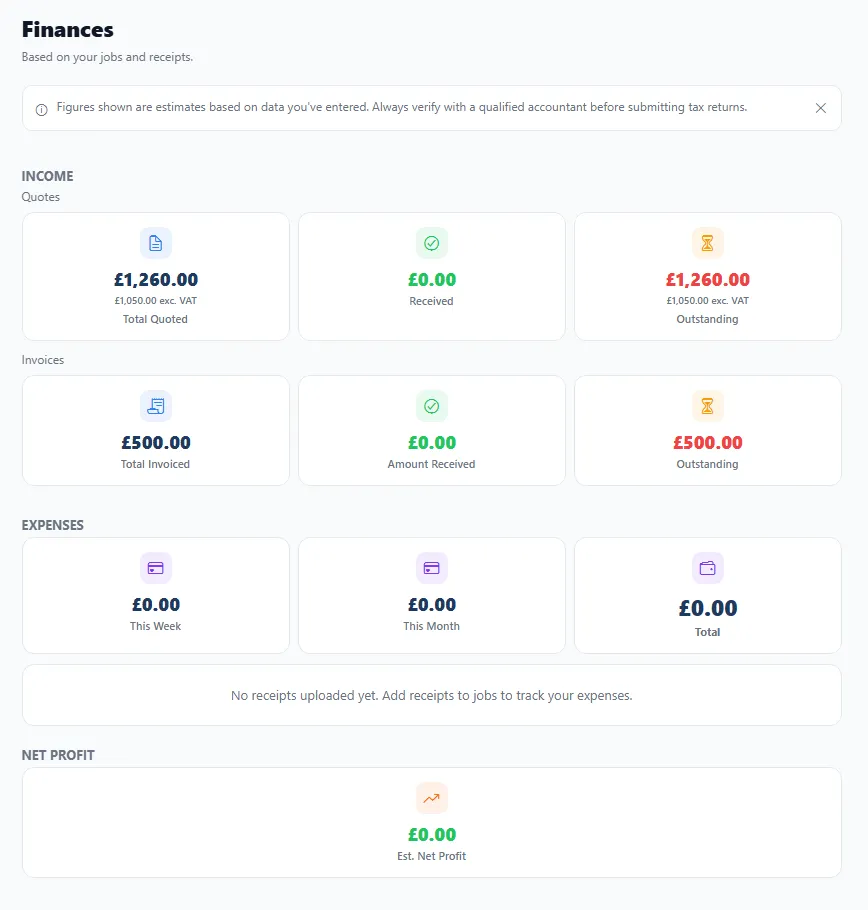
The Finances screen pulls together the money side of your business so you always know where you stand — without a spreadsheet or a shoebox of receipts.
What it shows you
Section titled “What it shows you”- Income — split into Quotes and Invoices, each showing the total, what’s been received and what’s outstanding (with VAT-exclusive figures too).
- Outstanding — what you’re still owed, including anything overdue.
- Expenses — what you’ve spent, broken down by this week / this month / total.
- Estimated net profit — income minus expenses, at a glance.
Because your quotes, invoices, receipts and jobs all feed in automatically, this picture stays current on its own.
Where the numbers come from
Section titled “Where the numbers come from”Finances isn’t something you fill in separately — it’s the sum of what you already do in BizzyDay:
- Send an invoice → it counts towards income and outstanding.
- Mark it paid → it moves from outstanding to received.
- Log a receipt or expense → it counts against your costs.
- Add mileage → your travel costs are captured for tax.
Using it well
Section titled “Using it well”- Check outstanding regularly — spot who’s slow to pay and let debt chasing handle the follow-up.
- Keep receipts logged so your costs (and therefore your real profit) are accurate.
- Export when you need to — hand clean figures to your accountant with Export & sync.