
Customising your nav bar
On a phone, screen space is tight — there’s only room for a few tabs along the bottom. BizzyDay lets you choose which features go in the middle, so your most-used tools are always one tap away.
How the bottom bar works
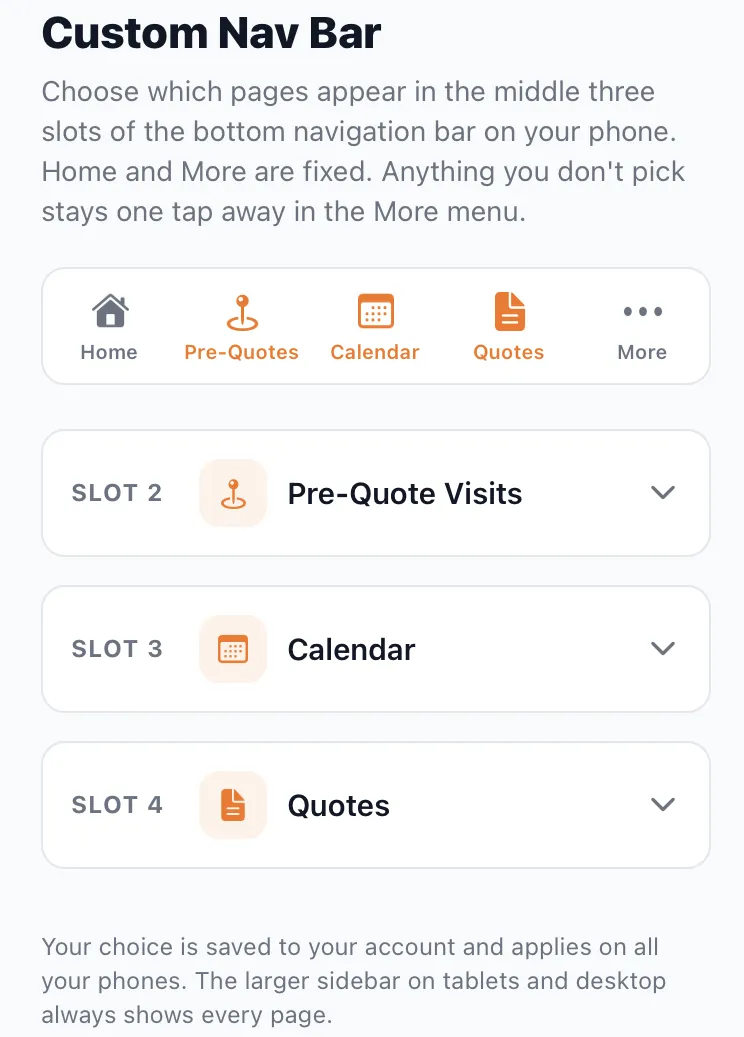
Section titled “How the bottom bar works”Your phone’s bottom bar has five tabs:
- Home — fixed as the first tab (your dashboard Overview).
- Three slots you choose — the middle three, set to whatever you use most.
- More — fixed as the last tab; opens everything else.
Anything you don’t pick for a slot stays one tap away in the More menu — nothing is hidden, it’s just a tap further.
Choosing your tabs
Section titled “Choosing your tabs”- Open Custom Nav Bar (from Settings or the More menu).
- Set Slot 2, Slot 3 and Slot 4 to the features you want — for example Pre-Quote Visits, Calendar and Quotes.
- Your bottom bar updates instantly.
Your choice is saved to your account and applies on all your phones.
Suggested setups
Section titled “Suggested setups”Different trades work differently. Some ideas:
- Busy scheduler: Calendar · Jobs · Quotes
- Paperwork-focused: Quotes · Invoices · Receipts
- On Pro AI: Voice-to-Quote · Receipts · Debt chase
There’s no wrong answer — set it up around the three things you reach for most, and change it whenever your routine changes.